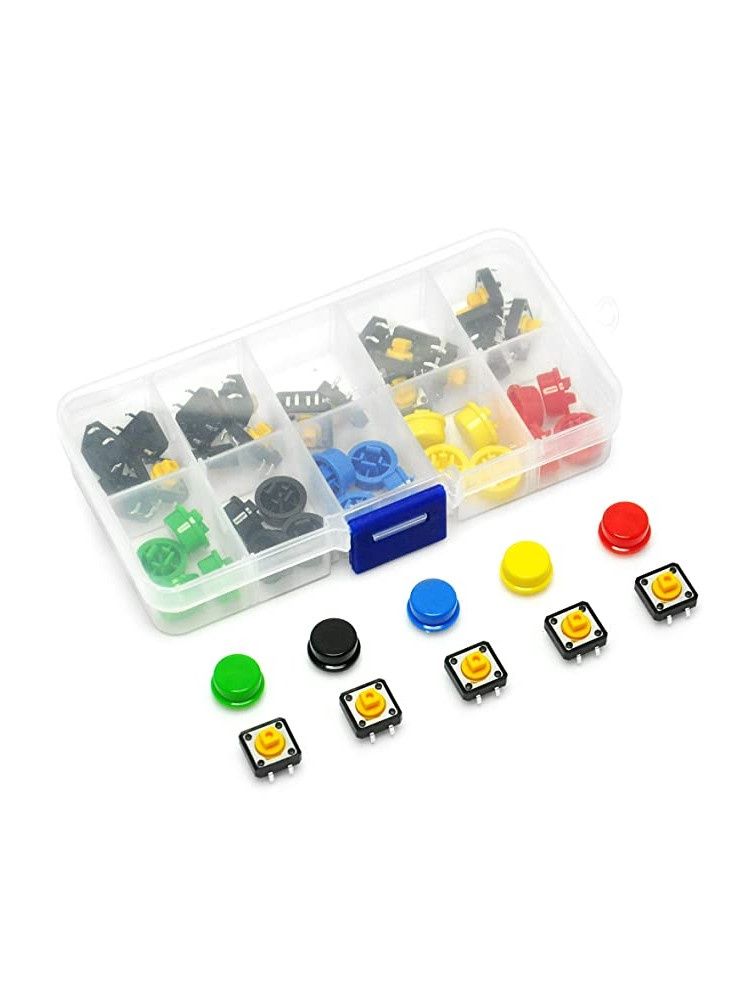
12×12×7.3mm Tactile Push Button Switch Kit – 25 Micro Switches + 25 Coloured Keycaps, 5 Colours, 50pcs Total
Share
R173.04
Buy and save
Buy and earn R0.99 Loyalty for your next purchase
Loyalty is a discount program that lets you buy products and earn points to redeem on your next purchase. Your Loyalty balance is updated when you pay online or in-store. The Loyalty amount shown on this page can be recalculated at the checkout.
In stock
1
12×12×7.3mm Tactile Push Button Switch Kit – 25 Micro Switches + 25 Coloured Keycaps, 5 Colours, 50pcs Total
Share
Product details
12×12×7.3mm Tactile Push Button Switch Kit – 25 Micro Switches + 25 Coloured Keycaps, 5 Colours, 50pcs Total – Technical Specifications:
| Kit Contents | – 25× Tactile Micro Switch + 25× Keycap (5 Colours, 5 of Each) |
| Total Pieces | – 50pcs |
| Switch Type | – Momentary Tactile Push Button (Non-Latching) |
| Circuit Configuration | – Normally Open (NO), SPST |
| Switch Body Dimensions | – 12 × 12 × 7.3mm |
| Pin Configuration | – 4-Pin DIP (2 × Electrically Connected Pairs) |
| Pin Pitch | – 2.54mm (Standard 0.1" / 100mil) |
| Rated Voltage | – 12V DC |
| Rated Current | – 50mA |
| Contact Resistance | – ≤ 100mΩ |
| Insulation Resistance | – ≥ 100MΩ |
| Actuation Force | – ~160gf (Typical) |
| Mechanical Life | – ≥ 100,000 Operations |
| Keycap Colours | – Red, Yellow, Green, Blue, White (5 of Each) |
| Keycap Material | – ABS Plastic |
| Mounting Type | – Through-Hole PCB / Breadboard |
| Compatible Platforms | – Arduino, ESP8266, ESP32, Raspberry Pi, Breadboards, PCBs |
Handy Tips for Using the 12×12×7.3mm Tactile Push Button Switch Kit:
1: These are momentary switches — the circuit closes only while the button is physically held down and opens again when released. This makes them ideal for user input triggers, reset buttons, menu navigation, and any application requiring a brief pulse signal rather than a sustained connection. They are not latching — flicking them does not keep them in the ON state.
2: The switch has 4 pins arranged in a square, but only 2 unique electrical connections — pins on the same side of the switch are internally connected to each other. This means the switch works correctly in either of two orientations on a breadboard. If your button appears to be always ON or always OFF, rotate it 90° — it is likely bridging the wrong pair of pins.
3: When using these switches with a microcontroller, connect one pin to your GPIO input and the diagonally opposite pin to GND. Enable the microcontroller's internal pull-up resistor in code (pinMode(PIN, INPUT_PULLUP) on Arduino) — this keeps the pin HIGH at rest and pulls it LOW when the button is pressed. This requires no external resistors and is the simplest reliable wiring method.
4: For debouncing — all mechanical switches produce rapid, noisy transitions for a few milliseconds when pressed or released, which can cause your microcontroller to register multiple presses from a single button push. Add a short delay of 20–50ms after detecting a state change before reading the pin again, or use the Bounce2 library in Arduino IDE for a cleaner non-blocking debounce implementation.
5: The coloured keycaps press-fit onto the actuator stem with no tools or adhesive required. Use different colours to visually distinguish button functions — for example Red = Stop / Reset, Green = Start / Confirm, Yellow = Mode, Blue = Menu. The caps also make buttons more comfortable to press and give finished projects a more polished, professional appearance.
6: These switches are breadboard compatible — the 12×12mm body straddles the centre gap of a standard 830-point breadboard perfectly, with each pair of pins landing on opposite sides of the divider. This is the intended mounting position and ensures the four pins make clean, independent connections to four separate breadboard rows.
Display prices in:ZAR