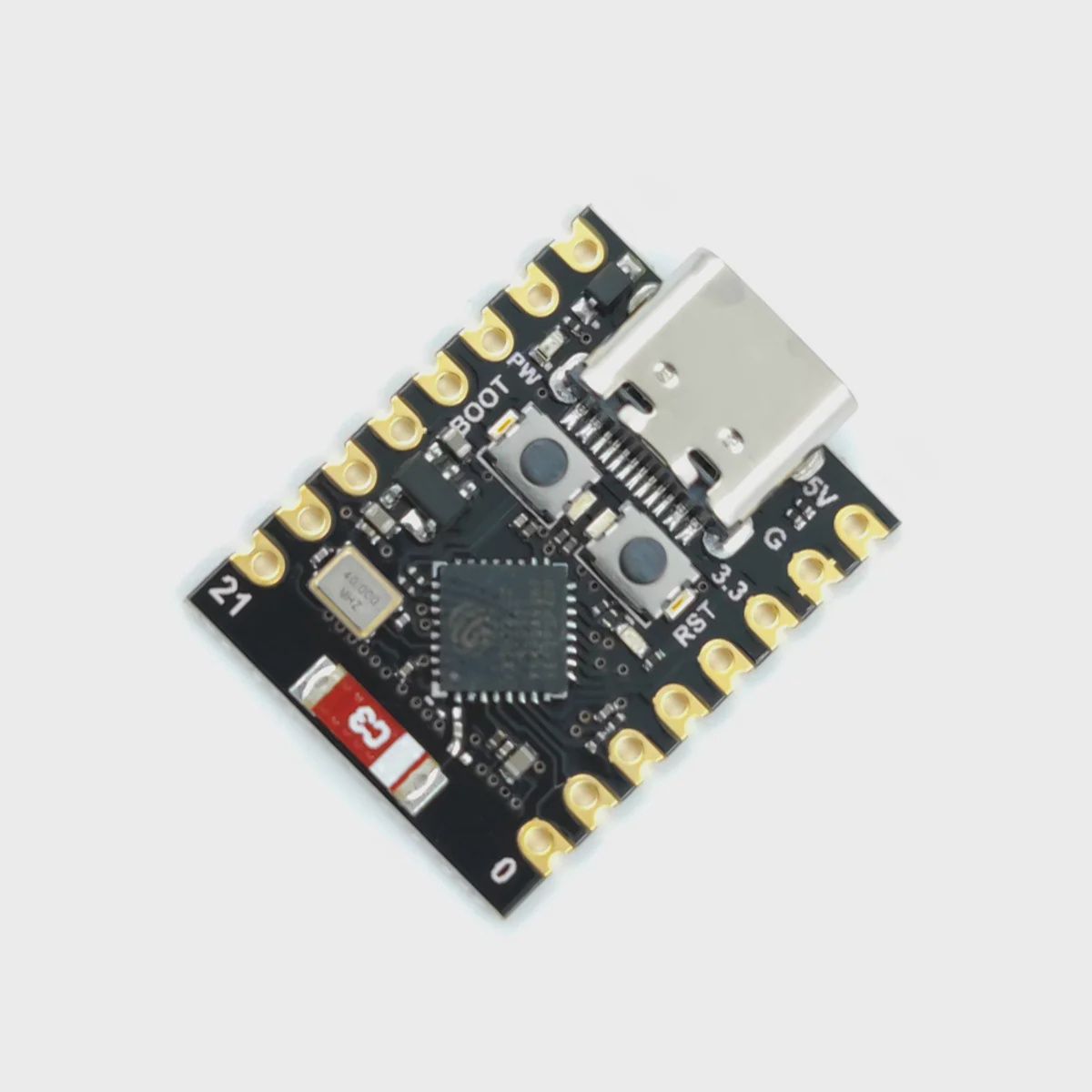
ESP32 - C3 Super Mini Development Board
Share
R77.39
Buy and save
Buy and earn R0.44 Loyalty for your next purchase
Loyalty is a discount program that lets you buy products and earn points to redeem on your next purchase. Your Loyalty balance is updated when you pay online or in-store. The Loyalty amount shown on this page can be recalculated at the checkout.
In stock
1
ESP32 - C3 Super Mini Development Board
Share
Product Details
ESP32-C3 Super Mini Development Board – Technical Specifications:
| Module | – ESP32-C3 Super Mini |
| Chip | – ESP32-C3 (Espressif Systems) |
| Architecture | – 32-bit RISC-V Single-Core Processor |
| CPU Speed | – Up to 160MHz |
| SRAM | – 400KB |
| Flash Memory | – 4MB (Onboard SPI Flash) |
| Wi-Fi | – 802.11 b/g/n (2.4GHz) |
| Bluetooth | – Bluetooth 5.0 BLE (Low Energy only — no Classic Bluetooth) |
| Total GPIO Pins | – 11 Programmable GPIOs |
| Analogue Inputs (ADC) | – 4 Channels (12-bit ADC) |
| Communication | – SPI, I2C, UART |
| PWM | – Available on all GPIO pins |
| Deep Sleep Current | – ~43µA (Typical) |
| USB Interface | – USB-C (Native USB — No External USB-to-Serial Chip) |
| Operating Voltage | – 3.3V (Logic) |
| Input Voltage (USB-C) | – 5V |
| Onboard LED | – 1 × Blue LED (GPIO8, Inverted) |
| Onboard Buttons | – EN (Reset) + BOOT (Flash Mode) |
| Operating Temperature | – -40°C to +85°C |
| Dimensions | – 37.4 × 22.5mm |
| Compatible IDEs | – Arduino IDE, ESP-IDF, MicroPython, ESPHome, PlatformIO |
ESP32-C3 Super Mini vs ESP32 WROOM-32 — Key Differences:
| ESP32-C3 Super Mini | ESP32 WROOM-32 | |
|---|---|---|
| Architecture | RISC-V Single-Core | Xtensa Dual-Core |
| CPU Speed | 160MHz | 240MHz |
| GPIO Pins | 11 Usable | 30 Usable |
| Bluetooth | BLE 5.0 Only | BLE 4.2 + Classic |
| Deep Sleep | ~43µA | ~10mA |
| Size | 37.4 × 22.5mm | 51 × 28mm |
| Best For | Compact, battery-powered IoT | Feature-rich, high-performance projects |
Handy Tips for Using the ESP32-C3 Super Mini:
1: The ESP32-C3 Super Mini uses a RISC-V single-core processor — a different architecture from the dual-core Xtensa processor found in the standard ESP32 WROOM. While it is less powerful in raw processing terms, it is significantly more power efficient, making it the better choice for battery-powered and always-on IoT applications where deep sleep current matters.
2: This board uses native USB — there is no separate USB-to-serial chip (like CH340 or CP2102). The ESP32-C3 handles USB communication directly. On first use, you may need to enable "USB CDC on Boot" in Arduino IDE under Tools → USB CDC on Boot → Enabled to ensure the serial monitor works correctly after a reset. Without this enabled, the serial port may disappear after the board restarts.
3: To enter flash/bootloader mode manually — hold the BOOT button, press and release the EN (Reset) button, then release BOOT. The board will enter download mode and Arduino IDE can then upload your sketch. If your board has not been programmed before, it will typically enter bootloader mode automatically when plugged in via USB.
4: The onboard blue LED on GPIO8 is inverted — it turns ON when GPIO8 is set LOW and turns OFF when set HIGH. This is the opposite of most other development boards. Account for this in your code: digitalWrite(8, LOW) turns the LED on, and digitalWrite(8, HIGH) turns it off. GPIO8 is also a strapping pin — avoid connecting external pull-down resistors to it as this can prevent the board from booting correctly.
5: GPIO pins 4 through 7 are reserved for JTAG debugging and should be used with caution in general projects. Additionally, GPIO2 is a strapping pin used to enter bootloader mode — avoid using it as a general output with external pull-down circuits. For safe general-purpose use, stick to GPIO0–1, GPIO3, GPIO8–GPIO10, and GPIO18–GPIO21 for the most reliable operation.
Display prices in:ZAR