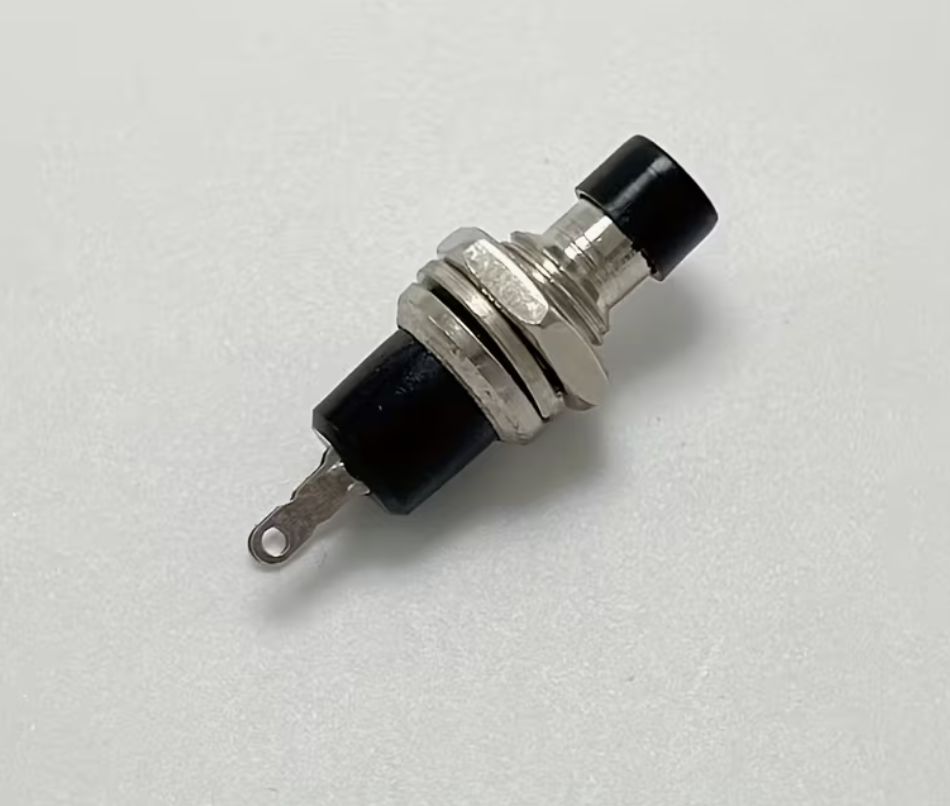
M8 Momentary Push Button Switch – Normally Open, Panel Mount, Black
Share
R7.83
Buy and save
Buy and earn R0.04 Loyalty for your next purchase
Loyalty is a discount program that lets you buy products and earn points to redeem on your next purchase. Your Loyalty balance is updated when you pay online or in-store. The Loyalty amount shown on this page can be recalculated at the checkout.
In stock
1
M8 Momentary Push Button Switch – Normally Open, Panel Mount, Black
Share
Product Details
M8 Momentary Push Button Switch – Normally Open (NO) – Technical Specifications:
| Switch Type | – Momentary Push Button (Non-Latching) |
| Circuit Configuration | – Normally Open (NO) |
| Actuator Colour | – Black |
| Thread Diameter | – M8 (8mm) |
| Panel Cutout Diameter | – 8mm |
| Button Head Diameter | – ~6mm |
| Contact Material | – Silver Alloy |
| Body Material | – ABS Plastic / Metal Collar |
| Rated Voltage | – 36V DC / 125V AC |
| Rated Current | – 1A |
| Contact Resistance | – ≤ 50mΩ |
| Insulation Resistance | – ≥ 100MΩ |
| Mechanical Life | – ≥ 100,000 Operations |
| Electrical Life | – ≥ 50,000 Operations |
| Terminal Type | – Solder Lug or Quick-Connect |
| Mounting Type | – Panel Mount (M8 Threaded Collar with Nut) |
| Operating Temperature | – -25°C to +85°C |
| Applications | – Miniature Control Panels, DIY Electronics, Enclosures, Reset Buttons, Arduino / ESP32 Projects |
Handy Tips for Using the M8 Momentary Push Button Switch:
1: This is a momentary switch — it only completes the circuit while the button is physically held down. The moment you release it, the circuit opens again. This is different from a latching or toggle switch, which stays in position after being pressed. Momentary switches are used for applications such as reset buttons, start triggers, doorbells, and arcade controls, where a brief pulse is needed rather than a sustained connection.
2: This switch is Normally Open (NO) — when the button is at rest (not pressed), the circuit between the two terminals is open (broken). When the button is pressed, the circuit closes (connects). If your application requires the circuit to be closed at rest and open when pressed, you would need a Normally Closed (NC) variant instead.
3: To mount the switch, drill an 8mm hole in your panel, enclosure, or project box. Insert the switch body from the front, slide the washer over the thread from the rear, then thread on the locking nut and tighten by hand until firm. Avoid over-tightening on thin plastic enclosures as this can crack the panel material around the mounting hole.
4: When using this switch with a microcontroller such as an Arduino, ESP32, or ESP8266, connect one terminal to your chosen GPIO pin and the other terminal to GND. Enable the internal pull-up resistor in your code (pinMode(PIN, INPUT_PULLUP)) — this keeps the pin reading HIGH at rest, and when the button is pressed it pulls the pin LOW. This requires no external resistors and is the simplest, most reliable wiring method for low-voltage microcontroller projects.
5: The M8 form factor is a compact panel mount size — ideal for small project enclosures, custom control panels, and anywhere space is limited. Ensure a minimum panel thickness of at least 1mm for the thread to grip securely. For very thin panels or sheet metal, use the supplied nut with a washer to spread the clamping load and prevent the button from pulling through the panel under repeated use.
Display prices in:ZAR