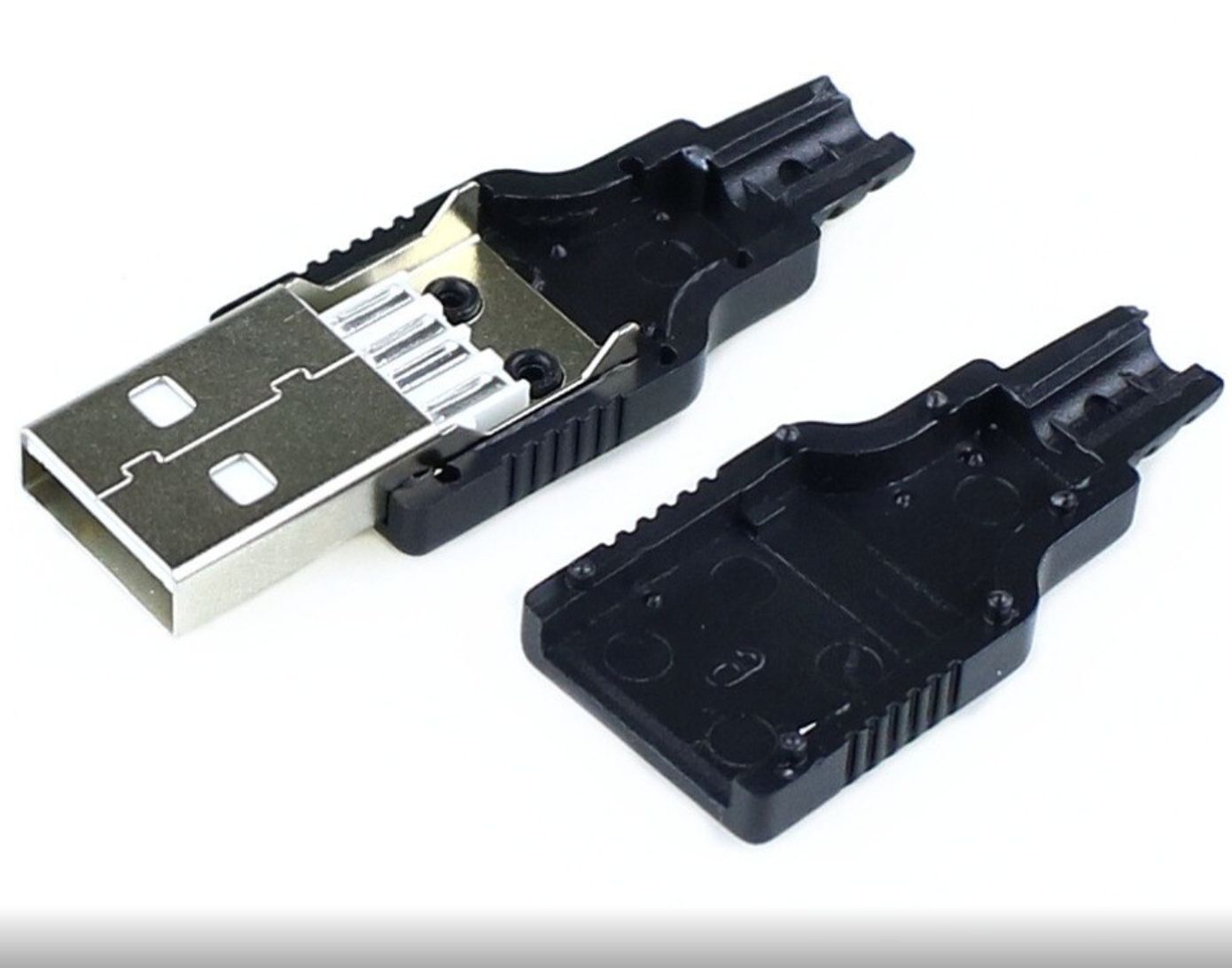
USB 2.0 Type-A Male Solder Connector – 4-Pin DIY - Single
Share
R10.43
Sold out
Sold out
USB 2.0 Type-A Male Solder Connector – 4-Pin DIY - Single
Share
Product details
USB 2.0 Type-A Male Solder Connector – Technical Specifications:
| Connector Type | – USB 2.0 Type-A Male (Plug) |
| Pin Count | – 4 Pins (VBUS, D−, D+, GND) |
| Assembly Type | – Solder Type (DIY Cable Assembly) |
| Shell Material | – Black ABS Plastic |
| Contact Material | – Copper Alloy (Gold-Plated) |
| USB Standard | – USB 2.0 (Full Speed / High Speed) |
| Rated Voltage | – 5V DC |
| Rated Current | – 500mA (USB 2.0) |
| Max Data Transfer Speed | – 480 Mbps (High Speed USB 2.0) |
| Contact Resistance | – ≤ 30mΩ |
| Insulation Resistance | – ≥ 100MΩ |
| Mating Cycles | – ≥ 1,500 Insertions |
| Operating Temperature | – -25°C to +85°C |
| Applications | – Custom USB Cables, Cable Repair, DIY Data Leads, Arduino Power Cables, Charging Leads, PC Peripherals |
USB 2.0 Type-A Pin Reference:
| Pin | Signal | Wire Colour (Standard) |
|---|---|---|
| Pin 1 | VBUS (+5V) | Red |
| Pin 2 | D− (Data Negative) | White |
| Pin 3 | D+ (Data Positive) | Green |
| Pin 4 | GND (Ground) | Black |
Handy Tips for Using the USB 2.0 Type-A Male Solder Connector:
1: This connector allows you to build or repair custom USB cables from scratch. It is a Type-A Male plug — the familiar rectangular connector that inserts into USB ports on computers, hubs, chargers, and USB host devices. Pair it with a USB Type-B, Mini-B, Micro-B, or Type-C female connector at the other end to create a complete custom cable for any application.
2: The standard USB wire colour convention is: Red = VBUS (+5V), Black = GND, White = D−, Green = D+. Always follow this convention when soldering to maintain compatibility with USB devices and avoid wiring errors. For power-only cables (charging leads with no data), only Pin 1 (VBUS / Red) and Pin 4 (GND / Black) need to be connected — leave Pins 2 and 3 unconnected for charge-only leads.
3: Use a fine-tipped soldering iron at 320–350°C and apply flux to the connector pins before soldering. The four pins are closely spaced — work carefully and methodically from one pin to the next, allowing each joint to cool before moving on. Use a magnifier or loupe to inspect each joint for solder bridges between adjacent pins — a bridge between D− and D+ will prevent data communication entirely.
4: After soldering, always test continuity with a multimeter in continuity mode before assembling the plastic shell. Check each pin of the connector against the corresponding wire at the other end of the cable, and verify no unintended connections exist between adjacent pins. This takes 30 seconds and saves the frustration of discovering a wiring fault after the shell is fully assembled.
5: When assembling, thread the cable through the plastic shell first before soldering — the shell cannot be fitted after the connector is soldered in most designs. Before final assembly, tug-test the cable inside the shell to ensure adequate strain relief at the cable entry point. A small piece of heat shrink tubing over the cable where it exits the shell adds additional strain relief and gives a more professional finished result.
Display prices in:ZAR