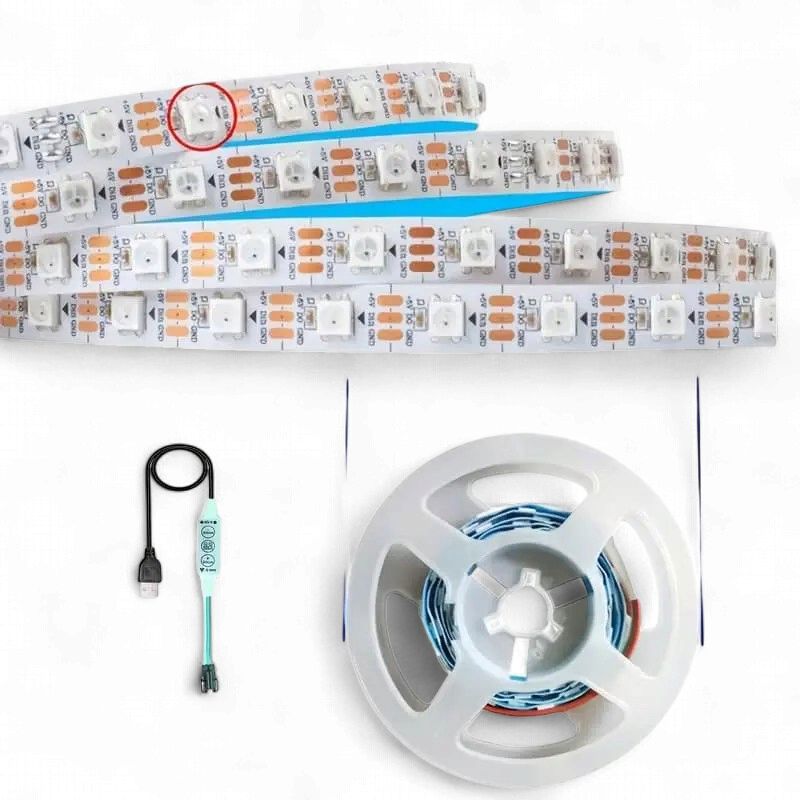
WS2812B RGB LED Strip – 5V USB Powered, 1 Metre, 60 LEDs/m, Individually Addressable with Chasing Effects n - White PCB
Share
R225.22
Buy and save
Buy and earn R1.29 Loyalty for your next purchase
Loyalty is a discount program that lets you buy products and earn points to redeem on your next purchase. Your Loyalty balance is updated when you pay online or in-store. The Loyalty amount shown on this page can be recalculated at the checkout.
In stock
1
WS2812B RGB LED Strip – 5V USB Powered, 1 Metre, 60 LEDs/m, Individually Addressable with Chasing Effects n - White PCB
Share
Product details
WS2812B Individually Addressable RGB LED Strip – 1M – Technical Specifications:
| LED Type | – WS2812B (RGB + Integrated IC per LED) |
| LED Chip | – 5050 SMD RGB |
| Strip Length | – 1 Metre |
| LED Density | – 60 LEDs per Metre |
| Total LEDs | – 60 LEDs |
| Input Voltage | – 5V DC (USB Powered) |
| Power Consumption | – ~3.6W Max (60 LEDs × 60mA Full White) |
| Colour | – 16 Million Colours (24-bit RGB per LED) |
| Addressability | – Individually Addressable (Per LED Control) |
| Control Protocol | – Single-Wire NZR (Data Pin) |
| Effects | – Chase, Fade, Rainbow, Strobe, Solid, Custom & More |
| Waterproofing | – Non-Waterproof (IP20) |
| PCB Colour | – White |
| LED Pitch | – 16.7mm (60 LEDs/m) |
| Strip Width | – 10mm |
| Operating Temperature | – -25°C to +80°C |
| Compatible Platforms | – Arduino, ESP8266, ESP32, Raspberry Pi, FastLED, WLED |
Handy Tips for Using the WS2812B Individually Addressable LED Strip:
1: Each LED on this strip contains its own integrated WS2812B controller IC — this is what makes it individually addressable. A single data wire carries colour and brightness instructions to every LED in sequence down the strip. Only three connections are needed to control all 60 LEDs: 5V (Power), GND (Ground), and DIN (Data In). The USB connector on this strip provides plug-and-play 5V power, but the data line still needs to be connected to your microcontroller.
2: Use the FastLED or Adafruit NeoPixel library in Arduino IDE for the quickest setup. FastLED is generally recommended as it offers better performance and more effect options. Initialise the strip with FastLED.addLeds — note the GRB colour order, not RGB. Getting this wrong will cause colours to appear incorrect (e.g. red showing as green).
3: At full brightness with all 60 LEDs set to white, this strip draws approximately 3.6W (around 720mA at 5V). A standard USB port rated at 1A can comfortably power this strip at moderate brightness. For sustained full-brightness use, connect to a dedicated 5V 1A+ power supply for reliable, stable operation without risk of overloading your USB port.
4: Always place a 300–500Ω resistor on the data line between your microcontroller and the DIN pad of the strip. This prevents signal reflection and ringing on the data wire that can cause random flickering or corruption of LED colours. Additionally, place a 1000µF capacitor across the 5V and GND power pads to absorb inrush current on power-up and protect both the LEDs and your power supply.
5: The strip can be cut at any point between LEDs along the clearly marked cut lines (every 16.7mm). Each cut section can be used independently as long as it has its own 5V, GND, and DIN connection. To extend or join sections, solder the DOUT pad of one section to the DIN pad of the next. For the easiest control with no coding required, flash an ESP8266 or ESP32 with WLED firmware and control the entire strip over Wi-Fi from your phone or browser.
Display prices in:ZAR